A Guide to Modern Web Page Maintenance

By Chris Edington
Think of your website as a brand-new shop on the high street. You've just had the grand opening, everything's sparkling, and people are walking in. Would you just lock up and leave, letting the windows get dirty and the "open" sign flicker out? Of course not. Web page maintenance is just the ongoing work you do to keep your digital shopfront secure, profitable, and looking its best for every single visitor.
Why Your Website Is Never Truly Finished
Getting a website live isn’t the finish line; it’s the starting gun. So many businesses fall into the trap of treating their site like a static brochure—something you create once and then forget about. This is a massive mistake. Your website is a dynamic, living part of your business, just like your sales team or your marketing efforts. It needs constant attention to perform at its peak.

Shifting your mindset from a one-off project to a continuous process is the secret to sustainable growth online. It transforms maintenance from a boring chore into a powerful strategy for improving user experience, climbing the search engine rankings, and protecting your brand. To really get why this is a continuous effort, it helps to think about the software development life cycle, where maintenance is a critical stage. You can dive deeper into this by Mastering Software Development Cycle Stages.
The Digital Storefront Analogy
Let’s go back to that physical shop analogy. Regular website maintenance is the equivalent of:
- Keeping the doors open: You're constantly checking for downtime to make sure your site is accessible 24/7.
- Stocking and organising the shelves: This means updating your content, fixing broken links, and ensuring products or services are displayed correctly.
- Making sure the checkout counter works: You're testing contact forms, payment gateways, and user journeys to prevent frustrating errors and lost sales.
- Turning on the security cameras: This is all about your digital security—updating software and plugins to block hacks and protect customer data.
If you neglect these jobs, it’s like locking your doors during business hours or having a broken card machine. Potential customers will get frustrated and simply take their business elsewhere.
The Real-World Impact in South Africa
This isn't just theory; it has a real financial impact, especially in a digitally-active market like South Africa. With 78.6% of the population online every day, poor website maintenance can be devastating for local eCommerce brands.
Google actively penalises sites with technical issues, pushing them off the first page—and 75% of users never bother scrolling to page two. On the flip side, proactive maintenance is directly tied to better performance. Local businesses have seen 29% higher conversion rates just by making sure their site works perfectly for a mobile-first audience that won't wait for a slow page to load.
A great website is a journey, not a destination. Its success depends on the continuous effort you invest after the launch. The initial https://www.marketwithboost.com/insights/website-design-and-development sets the foundation, but ongoing maintenance builds the skyscraper.
At the end of the day, consistent web page maintenance ensures that your initial investment keeps paying off, keeping your digital storefront pristine and profitable for years to come.
Understanding The Real Cost Of Neglect
It’s tempting to put off web page maintenance, isn't it? It feels like an easy way to save a bit of cash right now. After all, if the site seems to be working, why spend money fixing something that isn't broken? But that line of thinking is a classic trap—it’s penny wise and pound foolish. Neglecting your website isn't a saving; it's more like an invisible tax that quietly builds up until it hits you with a catastrophic bill.
Think of it like a tiny, barely noticeable leak in your roof. At first, it's just a small drip you can live with. But leave it alone, and that drip will slowly rot the timber, ruin your ceiling, and eventually force you into a massive, eye-wateringly expensive repair. Your website is no different. Small, unfixed issues quietly compound until they cause a major breakdown.
The Security Weaknesses That Invite Disaster
One of the first and most damaging consequences of neglect is a security breach. Every single piece of software on your site—from its core platform like WordPress or Shopify to the smallest plugin—is a potential doorway for hackers. Developers are constantly releasing updates to patch security holes as they find them. If you’re not applying those patches, you're essentially leaving your digital front door wide open.
A single outdated plugin is often all a hacker needs. The fallout can be devastating:
- Data Breaches: Imagine having to tell your customers their names, email addresses, and payment details have been stolen from your site.
- Reputation Damage: Trust is incredibly hard to build and frighteningly easy to lose. A publicised hack can shatter your brand's credibility in a single day.
- Blacklisting: Google might blacklist your site, hitting visitors with that terrifying "This site may be hacked" warning. Your traffic will drop to zero, fast.
The real cost of a security breach isn't just the technical fix; it's the lost trust and the long, difficult road to rebuilding your reputation with customers who feel their data wasn't safe with you.
How Neglect Makes You Invisible To Google
Search engines like Google are completely obsessed with user experience. They want to send people to sites that are fast, helpful, and work perfectly. That’s why they actively penalise websites that are slow, buggy, or riddled with broken links. Regular web page maintenance is non-negotiable for your SEO health.
Without it, you’ll slowly start to slide down the search rankings. Page load times will creep up, broken links will accumulate as you change pages, and your mobile layout might break on the latest devices. Google's crawlers see these as signs of a neglected, low-quality site. Before you know it, you've become invisible to potential customers searching for what you sell, and all that time and money you poured into marketing goes down the drain.
The Direct Hit To Your Sales And Revenue
At the end of the day, every problem caused by poor maintenance hits you where it hurts most: your wallet. A slow-loading page doesn't just annoy visitors; it makes them leave. A broken contact form means you never even see those hot leads. And a glitch in the checkout process? That’s a sale lost, right at the final hurdle. Every single click you pay for from a Google or Meta ad is wasted if the person lands on a page that simply doesn’t work.
This is a particularly sore point here in South Africa, where so many businesses are scaling up their online presence. Website maintenance has become a core growth strategy, with a staggering 90% of businesses pointing to unplanned downtime as their biggest headache. For local Shopify brands that depend on 24/7 traffic, downtime costs can quickly mirror shocking global averages, crippling revenue in an instant. You can find more insights on maintenance trends at infraspeak.com. Staying on top of maintenance isn't just an expense—it's an investment in keeping your sales engine humming.
Your Essential Web Page Maintenance Checklist
The whole idea of web page maintenance can feel a bit daunting, can't it? It’s easy to picture it as one giant, technical chore. But that’s the wrong way to look at it.
The secret is to break it down into a series of small, manageable tasks organised by a simple schedule. A good checklist takes the guesswork out of the equation, giving you a repeatable system that makes sure nothing important gets missed.
Think of it like a fitness plan for your website. You wouldn’t hit the gym once a year and expect to be in top shape, and your website is no different. It needs consistent attention to stay fast, secure, and profitable. Before you can build that routine, you first need a solid grasp of what website maintenance includes.
Ignoring these regular tasks isn't a neutral choice; it comes with a direct and painful cost that chips away at your security, your SEO, and ultimately, your bottom line.
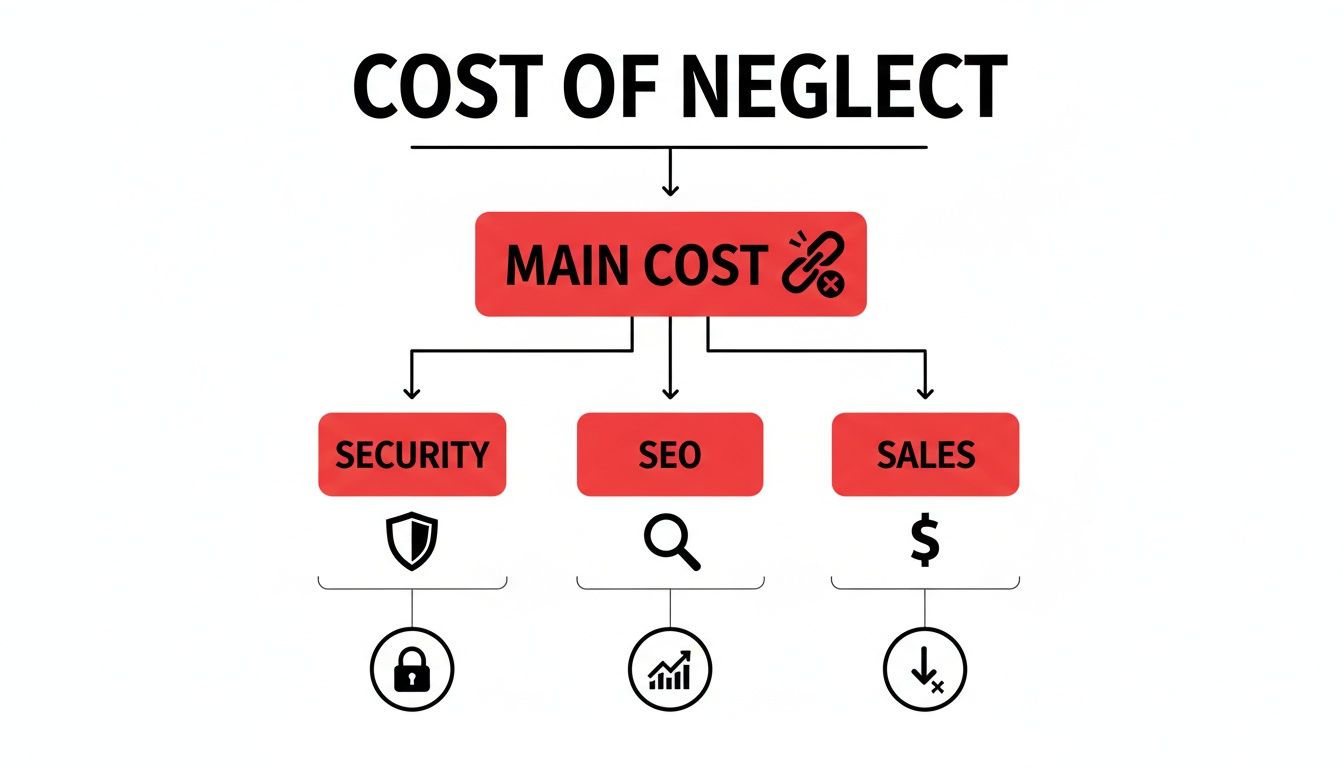
This flowchart shows exactly how a single forgotten update or a broken link can trigger a domino effect, slowly degrading your entire online presence. Let's walk through the routine that stops this from ever happening.
To make this easier, we’ve put together a prioritized schedule. Think of this as your roadmap to a healthy, high-performing website, breaking down complex tasks into a simple, recurring rhythm.
| Frequency | Core Tasks | Why It Matters |
|---|---|---|
| Daily | 1. Full Website Backup 2. Security Scan |
These are your non-negotiables. A daily backup is your ultimate undo button, and a quick scan catches threats before they become disasters. |
| Weekly | 1. Update Core & Plugins 2. Check for Broken Links 3. Test All Forms 4. Clear Spam Comments |
This is your weekly tune-up. It keeps your site's engine secure, ensures a smooth user experience, and makes sure your leads can actually reach you. |
| Monthly | 1. Analyse Analytics 2. Review SEO Performance 3. Check Website Speed 4. Perform Visual Inspection |
This is about performance. You’re looking at the data to see what’s working, finding technical issues, and ensuring your site looks perfect on every device. |
| Quarterly | 1. Audit & Refresh Content 2. Review User Experience 3. Update Legal Pages 4. Set New Goals |
This is your strategic check-in. You’re zooming out to ensure your site is still aligned with your business goals and planning for the next 90 days of growth. |
| Recurring Web Page Maintenance Schedule |
By following this cadence, you move from a reactive, "fire-fighting" approach to a proactive, strategic one, ensuring your website remains a valuable asset instead of a ticking time bomb.
Your Daily Maintenance Drills
These are the quick, essential checks you should do every single day. They are your first line of defence against data loss and security breaches, and once you get into the rhythm, they take just a few minutes.
- Run a Full Website Backup: This is your safety net. If anything goes wrong—a plugin update fails, you get hacked, or the server has a meltdown—a recent backup is the only thing that will get you back online fast. Don't just rely on your hosting provider's backups; set up your own automated daily backup and have it saved to a secure, off-site location like Dropbox or Google Drive.
- Perform a Security Scan: Use a trusted security tool to scan for malware, suspicious file changes, and known vulnerabilities. Catching a threat in its earliest stages is infinitely easier and cheaper than dealing with the fallout of a full-blown site infection.
Weekly Maintenance Check-Ins
Once a week, you’ll need to set aside a bit more time to dig into updates and performance checks. These tasks keep the core of your site running smoothly and ensure all the moving parts are working together as they should.
- Update Your Core Software and Plugins: This is one of the most critical security actions you can take. Developers are constantly releasing patches to fix bugs and close security loopholes. Running on outdated software is like leaving your front door wide open for intruders.
- Check for Broken Links: Use a crawler tool to find any broken internal or external links. These dead ends frustrate visitors and send negative signals to search engines, hurting your SEO.
- Test Your Forms: Don't assume they're working. Manually go through and submit every form on your website—contact forms, quote requests, and newsletter sign-ups. A broken form is a silent lead killer.
- Review and Clear Spam Comments: If you have a blog, clean out the spam comments. They make your site look neglected and unprofessional, and they can sometimes contain malicious links.
Monthly Deep Dives
Your monthly tasks are less about immediate dangers and more about strategic improvement. This is where you step back, analyse your performance, and find opportunities to improve the user experience and your search engine visibility.
- Analyse Your Website Analytics: Get into your Google Analytics account. Look at your traffic sources, top pages, bounce rate, and user behaviour flows. Are there pages where visitors are consistently leaving? What content is really connecting with your audience?
- Review Your SEO Performance: Check your keyword rankings and look for crawl errors in Google Search Console. This dashboard tells you how Google "sees" your site and will flag any technical SEO problems that need your attention.
- Check Your Website Speed: Run your key pages through a tool like Google PageSpeed Insights. Site speed is a massive factor for both SEO rankings and conversion rates. Look for any new slowdowns that might have crept in.
- Perform a Visual Inspection: This is a simple but crucial step. Manually browse through your website on a desktop, a tablet, and a smartphone. Use different browsers like Chrome, Safari, and Firefox. Do all the images, videos, and text render correctly?
Quarterly Strategic Reviews
Every three months, it's time to zoom out for the big-picture view. These quarterly reviews are all about making sure your website is still perfectly aligned with your business goals and is meeting the changing needs of your customers.
- Audit and Refresh Your Content: Take a hard look at your most important pages—especially your homepage and core service or product pages. Is the message still sharp and relevant? Are the calls-to-action compelling? Find older blog posts that could be updated with fresh information to give them a new lease on life in the search results.
- Review User Experience (UX): Think about the entire journey a visitor takes. Is the navigation intuitive? Can people find what they’re looking for in just a few clicks? You might even consider using a heatmap tool to visually see how people are interacting with your pages.
- Check and Update Your Legal Pages: Your privacy policy and terms of service aren't static documents. They may need updates to reflect new regulations or changes in how your business operates.
- Set Goals for the Next Quarter: Based on everything you've just analysed, set clear, measurable goals for the next 90 days. This could be anything from improving page speed by 10% and increasing conversions on a key landing page, to ranking for a new cluster of keywords.
Tailoring Maintenance To Your Business Type
Thinking of web page maintenance as a generic, one-size-fits-all checklist is one of the most common mistakes we see businesses make. Your website isn’t just a digital brochure; it’s a purpose-built tool designed to hit very specific goals. The priorities for an eCommerce store are worlds away from those of a SaaS platform, and both are completely different from a property portal.
It's like the difference between a race car and a delivery truck. A mechanic wouldn't use the same tools or follow the same service schedule for both, right? Your maintenance plan needs that same level of customisation for your business model. While generic tasks cover the basics, a tailored approach zeroes in on the features that directly drive your revenue, generate leads, and keep your customers happy. It’s all about identifying the most critical paths on your site and protecting them at all costs.
For The eCommerce Brand
When you run an online store, every single second of smooth operation translates directly into revenue. Your maintenance focus has to be almost obsessive about the customer’s journey from discovering a product to seeing that "purchase confirmed" screen. Any little bit of friction can lead to an abandoned cart, and with the global average for cart abandonment at a staggering 69%, you can't afford any slip-ups.
Your top maintenance priorities should be:
- Payment Gateway Integrity: This needs weekly checks. Seriously, run a small test transaction to make sure your payment processor is talking to your store correctly. A broken gateway is like putting a "cash only" sign on your door during a massive sale—you’re just turning money away.
- Inventory and Product Sync: If you’re selling on multiple channels, you have to know that your inventory levels are syncing perfectly. Nothing sours a customer experience faster than ordering a product, only to get an email later saying it's actually out of stock.
- Product Page Performance: Take a regular look at your best-selling product pages. Are the images loading in a snap? Is the "Add to Cart" button responding instantly? Slow pages are conversion killers.
- Checkout Process Audit: Once a month, put on your customer hat and go through the entire checkout process from start to finish. Hunt for confusing steps, unclear shipping costs, or forms that are a nightmare to use on a mobile phone.
Getting these specific elements right is absolutely fundamental. If you're looking to build a stronger foundation, you might want to explore our guide on effective eCommerce website designing.
For The SaaS Company
A SaaS website is usually a hard-working lead generation machine and a crucial support hub. Its main jobs are to turn visitors into demo requests or trial sign-ups and to help existing customers find what they need. Because of this, your maintenance plan has to be all about trust, availability, and making sure your lead capture is seamless.
Your non-negotiable tasks include:
- Uptime Monitoring: This is your number one priority. Use an automated tool to watch your site's availability 24/7. Any downtime chips away at user trust and could stop a high-value lead from ever signing up.
- Form Functionality: Test your "Request a Demo" and "Start Free Trial" forms every single week. A broken form is a silent assassin for your sales pipeline. Make sure those leads are actually getting into your CRM.
- User Account Security: Regularly audit how user accounts are managed. Test the password reset flow, two-factor authentication, and the login process to ensure they’re not only secure but also easy for your customers to use.
For a SaaS business, the website isn't just marketing; it's part of the product experience. A buggy, unreliable site sends a clear message that the product itself is probably buggy and unreliable. That makes proactive web page maintenance a core business function.
For The Property Portal
Real estate websites are all about one thing: connecting buyers and sellers with timely, accurate listings. The user experience has to be flawless, especially on mobile, where people are often browsing properties while they’re out and about. Here, trust and speed are everything.
Focus your maintenance efforts on these areas:
- Listing Accuracy and Updates: Make sure your property feed or API integration is working perfectly. Stale or inaccurate listings, like showing a sold property as available, completely destroys your credibility and wastes everyone's time.
- Mobile Lead Capture Forms: A huge chunk of property searches happens on smartphones. On a weekly basis, you need to test every single "Enquire Now" or "Book a Viewing" form on a few different mobile devices. The fields must be easy to tap and the form has to submit without any drama.
- Map and Search Functionality: The heart and soul of a property portal are its search and map features. Regularly check that these tools are loading quickly and showing the right results. A slow or broken map will send potential leads running straight to your competitor.
Choosing Your Maintenance Tools And Partners
You don't have to tackle web page maintenance with just a manual checklist and sheer willpower. A whole ecosystem of powerful tools exists to automate the grunt work, giving you back time to focus on what you do best: running your business.
Eventually, you'll face a critical decision: should you manage this whole process in-house, or is it time to bring in a professional partner? This isn't just about cost; it's a strategic choice about where your team's energy is best spent. Get it right, and maintenance shifts from a chore to a genuine driver of growth.
The Essential Maintenance Toolkit
Before deciding who does the work, it helps to understand what they'll be using. These platforms are the nuts and bolts of a solid maintenance plan, catching problems you’d otherwise miss and providing the data you need to make smart decisions.
Here’s a look at the essential software categories:
- Uptime Monitoring Tools: Think of these as your 24/7 watchdogs. They ping your website from servers all over the world and fire off an instant alert via email or SMS the moment it goes down. You'll be the first to know there's a problem, not your customers.
- Automated Backup Solutions: A reliable backup is your ultimate safety net. Modern tools can automatically save your entire site—files, databases, everything—on a daily schedule and store it securely off-site. A complete recovery is always just a few clicks away.
- Performance Testing Software: Tools like Google PageSpeed Insights are great for a spot-check, but dedicated performance software keeps a constant eye on your site speed. They pinpoint what’s causing slowdowns, from clunky images to bad code, so you can fix issues before they cost you sales.
- Security Scanners: These are your digital security guards. They regularly scan your website for malware, outdated plugins, and other vulnerabilities that hackers love to exploit. This helps you patch security holes before they turn into a full-blown crisis.
The Big Decision: In-House vs Agency
Armed with the right tools, you might feel ready to take on maintenance yourself. For some small businesses, that's a perfectly fine place to start. But as your business grows, the complexity and time commitment can quickly become overwhelming. This is where the in-house versus agency debate really kicks in.
There's no single "right" answer. The best fit comes from honestly weighing up your team's skills, your budget, and the very real cost of getting things wrong.
The most expensive maintenance is the emergency fix you pay for after a critical failure. Partnering with an expert isn't just about outsourcing tasks; it's about investing in prevention to avoid catastrophic costs down the line.
To help guide your thinking, let’s look at the trade-offs:
| Factor | Managing In-House (DIY) | Partnering with an Agency |
|---|---|---|
| Cost | Lower upfront cash outlay, but the hidden costs of your time and potential mistakes can be huge. | A predictable monthly investment that often costs less than a single emergency repair. |
| Expertise | You're limited to your team's current technical know-how. One small mistake can have big consequences. | You get immediate access to a dedicated team of specialists who live and breathe this stuff every day. |
| Time | Can eat up significant hours that you should be spending on core business activities like sales and marketing. | Frees up your entire team to focus on what really grows the business, not just maintaining its tools. |
| Accountability | When something breaks, the pressure is entirely on you to figure it out and fix it, fast. | You have a clear point of contact who is responsible for keeping your site healthy, with proven recovery plans. |
For many growing eCommerce, SaaS, and property businesses, the calculation becomes crystal clear. The time saved and mistakes avoided by partnering with a professional agency provide a tangible return on investment. It lets you keep your focus where it belongs: on your customers and your growth strategy.
At Market With Boost, we help turn this defensive cost into an offensive advantage, ensuring your site isn't just running—it's running as a reliable engine for profit.
How To Measure The Success Of Your Maintenance
All the checklists and schedules in the world don't mean much if you can't see the results. So, how do you actually know if your web page maintenance efforts are paying off? The secret is to move beyond simply ticking boxes and start tracking the right numbers.
Measuring success isn't just about feeling good about the work; it’s about proving its value and making smarter decisions down the line.
Think of it like servicing your car. You don't just assume it's running better. You notice the improved fuel economy, the smoother ride, and the quieter engine. Your website gives you similar signals. By keeping an eye on the right key performance indicators (KPIs), you can draw a direct line from your maintenance work to real business outcomes.
Technical Health KPIs
First up, let's look at the engine room. These technical metrics tell you if the core mechanics of your site are in good shape. They're often the first signs of trouble and are absolutely essential for a healthy online presence.
You don't need fancy software to start. Setting up a simple dashboard using free tools like Google Search Console is the perfect way to monitor these vitals.
- Page Load Speed: This is all about how quickly your pages pop up for visitors. A faster site means a better user experience and higher search rankings. If you see a sudden slowdown, it could point to problems with oversized images, clunky code, or your server.
- Uptime Percentage: This simply measures how often your website is online and available. You should be aiming for as close to 100% as possible. Any consistent downtime is a massive red flag pointing to hosting or other technical glitches.
- Crawl Errors: These pop up in Google Search Console when Google runs into trouble trying to index your site. Fixing them ensures search engines can properly read, understand, and rank your content.
Business-Focused KPIs
While technical health is the foundation, success ultimately comes down to business results. These metrics, which you can easily track in Google Analytics, show how your site's performance is actually impacting your bottom line. A well-maintained site should always see these numbers moving in the right direction.
Tracking business KPIs transforms your web page maintenance from a simple IT cost into a measurable growth activity. When your conversion rate improves after fixing site speed, you're not just maintaining—you're optimising for profit.
These are the numbers that connect your hard work to revenue:
- Conversion Rate: This is the percentage of visitors who do what you want them to do, like making a purchase or filling out a form. A smooth, error-free website is a direct contributor to a higher conversion rate. You can find excellent strategies in our guide on 10 proven eCommerce conversion rate optimization tips.
- Bounce Rate: This tracks the percentage of visitors who land on your site and leave after viewing only one page. A high bounce rate can signal slow load times, confusing navigation, or broken elements—all things your maintenance checklist is designed to catch.
Your Top Questions About Web Page Maintenance Answered
When it comes to keeping a website running smoothly, a lot of questions pop up. We get it. Here are the honest, no-fluff answers to the questions we hear most often from business owners just like you.
What Does Web Page Maintenance Actually Cost?
There's no single price tag, as the cost really hinges on your site's complexity. A straightforward brochure-style website might only need a bit of attention each month, whereas a bustling eCommerce store with thousands of products demands constant vigilance and fine-tuning.
But here’s a better way to look at it: it’s not just a cost, it’s an investment. Proactive maintenance is your insurance against crippling emergencies. A serious data breach or a website crash during a sales event can easily cost you thousands in lost revenue and emergency repair bills, far more than a monthly maintenance plan.
Can I Just Do My Own Website Maintenance?
Of course! Handling basic updates like posting a new blog or swapping out a few images is definitely something you can manage yourself. However, the deeper, more technical work—things like applying security patches, managing server configurations, or optimising database performance—is a different ball game. It requires a specific skill set.
The real question to ask yourself is about opportunity cost. Is your time genuinely better spent wrestling with a tricky plugin conflict, or should you be focused on strategy, sales, and running your business? One wrong move could knock your entire site offline for hours. This is where professional help often pays for itself.
How Often Does My Website Need Maintenance?
It’s best to think about it in layers, with different tasks happening on different schedules. Some things are absolutely critical and need daily checks, like running security scans and making sure your backups are working perfectly.
Then you have weekly tasks, like updating your plugins and core software to patch vulnerabilities. On a monthly or quarterly basis, you should be doing the more strategic work—analysing your SEO performance, reviewing user journey analytics, and checking that your site still perfectly aligns with your business goals.
Ready to stop worrying about your website and turn it into a powerful, reliable engine for growth? The team at Market With Boost specialises in expert maintenance and optimisation that delivers real, measurable results. Book a discovery call today and let’s put together a plan to protect and grow your most important digital asset.

Written by
Chief Executive Officer
Chris heads the Boost Marketing team and is also CEO and CTO of Shopstar, with over ten years of digital marketing experience. Before these roles, Chris co-founded MADE Agency, a leading South African digital marketing agency, collaborating with renowned clients like BMW, Red Bull, and Pepsi. He has a deep understanding of eCommerce and a talent for identifying emerging trends.

Scale your performance with data-driven insights
Ready to apply these insights to your business? Hannah can walk you through how we'd approach your specific situation.
Hannah Merzbacher
Operations Manager
Continue reading
View all insights
Top 7 Web Development Companies South Africa for 2026
Find the best web development companies south africa for 2026. Our guide reviews 7 top agencies for eCommerce, SaaS, & enterprise-level projects....

Web Development Pricing in 2026: A Founder's Guide
Unpack web development pricing in South Africa. Learn about pricing models, cost drivers, and how to choose a developer that delivers real ROI....

Ecommerce Web Design South Africa: Your 2026 Guide
Need expert ecommerce web design south africa? Our 2026 guide covers strategy, Shopify, PayFast, couriers, and CRO for SA brands....